Smart home security is changing the way we protect our homes and properties. This innovative technology seamlessly integrates with your daily life, offering unparalleled convenience and safety. Whether you’re a homeowner or a property manager like Sarah Thompson, there are key elements to look for in a modern security system:
Smart home security isn’t just about cameras and alarms; it’s about creating a comprehensive shield for your peace of mind. With technology integration, these systems ensure that protection is always within your reach, whether you’re at home, at your office, or on the go.
As we dig further into smart security solutions, you’ll find how they can provide the safety you need with the convenience you want.

Smart home security word guide:
– home camera system
– wireless security cameras for apartment buildings
– surveillance camera for apartment
Smart home security is more than just a trend—it’s a necessity for many homeowners. This technology leverages your existing Wi-Fi network to connect various security devices, providing you with control and monitoring capabilities at your fingertips.
Your home’s Wi-Fi network is the backbone of a smart security system. It allows devices like cameras, door sensors, and alarms to communicate with each other and with you. With a stable Wi-Fi connection, you can receive real-time alerts and updates, keeping you informed about your home’s security status no matter where you are.
One of the greatest benefits of smart home security is the ability to control everything through a single app. Imagine being able to lock your doors, check camera feeds, and receive alerts about unusual activity—all from your smartphone. This app-centric approach not only simplifies security management but also improves responsiveness in case of an emergency.
Here’s what you can typically do with app control:

A smart home isn’t just a collection of gadgets—it’s an interconnected network that works together to keep you safe. By using technologies like Z-Wave and Zigbee, devices can communicate seamlessly, ensuring that your security system is both robust and reliable.
Consider this: with a smart home setup, your security system can automatically arm itself when you leave and disarm when you return. It can also integrate with your smart lights to create the illusion of someone being home, deterring potential intruders.
Smart home security transforms your residence into a proactive guardian, constantly working to ensure your safety and peace of mind. As you explore these systems, they offer more than just protection—they provide a connected lifestyle that adapts to your needs.
Next, we’ll dive into the top features that make these systems a must-have for modern living.
Smart home security systems offer more than just protection—they bring convenience and peace of mind. Let’s explore some top features that make these systems essential for modern living.
Imagine your home automatically locking doors, adjusting the thermostat, and turning off lights when you leave for work. With custom schedules, this becomes a reality. You can set routines to match your daily life, ensuring your home is secure and energy-efficient, even when you’re not there.
With voice control, managing your home’s security is as simple as speaking. Systems integrated with voice assistants like Alexa or Google Home allow you to lock doors, arm alarms, or check camera feeds without lifting a finger. Just say the word, and your smart home security system responds.
Automation is the heart of a smart home. It allows devices to work together seamlessly. For instance, if a motion sensor detects movement, your system can automatically turn on lights and start recording with security cameras. This interconnectedness means your home is always ready to respond to potential threats.
Smart devices are the building blocks of a smart home security system. From smart locks that let you control access remotely to cameras that provide live feeds, these devices make your home safer and smarter. They can communicate with each other, creating a comprehensive security network.
By integrating these features, your smart home security system becomes not just a protector but a partner in managing your home efficiently. Next, we’ll discuss best practices for implementing these systems to maximize their potential.
When setting up smart home security, it’s important to consider how you will install, monitor, and customize your system. Here’s a simple guide to help you make the best choices for your home.
Do-it-yourself (DIY) installation is a great option if you’re on a budget and enjoy hands-on projects. Most DIY systems come with easy-to-follow instructions and can be set up in just a few hours. These systems usually use wireless components, which means you can stick sensors and cameras where you need them without drilling holes or running wires.
If you want extra peace of mind, consider adding professional monitoring to your smart home security setup. With this service, a team of experts keeps an eye on your system 24/7. If an alarm goes off, they can quickly contact you and, if needed, alert emergency services.
One of the best things about smart home security is how customizable it is. You can tailor the system to fit your specific needs:
By following these best practices, you can create a smart home security system that is both effective and convenient. Whether you prefer the flexibility of a DIY setup or the reassurance of professional monitoring, there’s a solution that fits your needs.

Next, we’ll address some common questions about smart home security to help you make informed decisions.
Absolutely! Smart home security systems offer improved protection for your home. They use advanced technology like motion sensors and smart cameras to detect unusual activity. This means you’re less likely to become a victim of burglary or other crimes.
Moreover, these systems are affordable. You can start with basic features and add more as needed. Many systems are DIY-friendly, which saves you money on installation. Plus, self-monitoring options mean you can avoid monthly fees if you prefer.
Smart home security combines traditional security measures with modern technology. It connects to your Wi-Fi network, allowing you to monitor and control your security devices through an app on your smartphone or tablet.
Key features include:
This integration makes home security not just more effective, but also more convenient.
If you’re looking to avoid monthly fees, consider a system with self-monitoring capabilities. These systems send alerts directly to your smartphone, allowing you to respond as needed. You can monitor your home in real-time without paying for professional monitoring services.
Most self-monitored systems are easy to set up and use. They offer the flexibility to expand with additional features like extra cameras or sensors over time. This makes them a cost-effective choice for many homeowners.
By understanding these aspects, you can choose a smart home security system that fits your budget and lifestyle, ensuring peace of mind without breaking the bank.
In home security, staying ahead means embracing cutting-edge technology. At American S.E.A.L. Patrol Division, we understand the importance of keeping your home safe and secure. That’s why we combine the latest advancements in smart home security with our expert personnel to offer 24/7 monitoring and rapid response services.
Our approach is simple: use the best technology available to provide peace of mind. With over 15 years of experience, we know that every home is unique. That’s why our solutions are custom to meet your specific needs. Whether you’re in Houston, TX, or anywhere else in our service area, you can trust us to protect what matters most.
Our 24/7 monitoring ensures that your home is always under watchful eyes. This means any potential threats are quickly identified and addressed, keeping your family safe. We use advanced cameras and sensors that integrate seamlessly with your smart devices, allowing you to monitor your home from anywhere.
If you’re considering upgrading your home security, now is the time. With smart home security, you have the power to control and monitor your home with ease. Plus, with our expert team by your side, you can rest easy knowing that your security is in the best hands.
For more information on how we can help you transform your home security, visit our apartment security camera systems page. Let’s work together to build a safer environment for you and your loved ones.
When it comes to securing your space, cctv camera solution is your front-line defense. As a property manager like Sarah Thompson, you’re likely looking for ways to ensure tenant safety and deter crime. Here’s a quick overview of how CCTV systems can help:
Modern CCTV solutions use cutting-edge surveillance technology to provide robust security. These systems have evolved from traditional analog setups to sophisticated IP and HD Over Coax systems, offering higher resolution, scalability, and smart functionalities.
As you dig into CCTV systems, you’ll find they not only protect but also help manage properties more effectively. By addressing both safety and convenience, they become a sound investment in peace of mind for you and your tenants.

When diving into CCTV camera solutions, understand the role of video management systems (VMS). Think of a VMS as the brain of your CCTV system. It helps you control and manage all the video feeds from your cameras. With a good VMS, you can view, record, and analyze footage easily. This is crucial for keeping track of everything happening on your property.
Surveillance workflow is another key aspect. This involves how your cameras capture and store video, and how you access and review it. A smooth workflow ensures that you can quickly find and view the footage you need. It’s like having a well-organized library where every book is easy to find.
Integration is about making sure your CCTV system works well with other security and smart home devices. For example, you might want your cameras to work with your smart lights or alarms. This makes your security system more powerful and efficient. Imagine your lights turning on automatically when a camera detects movement. This kind of integration can improve both security and convenience.
In summary, a solid CCTV camera solution combines a reliable video management system, a streamlined surveillance workflow, and seamless integration with other technologies. This combination ensures your property is secure and easy to monitor, providing peace of mind whether you’re at home or away.
Modern CCTV camera solutions are packed with features that make them more effective and user-friendly than ever before. Let’s explore some of these key features:
Gone are the days of grainy footage. Today’s cameras offer ultra-high-definition video quality, up to 4K. This means you can see details clearly, whether it’s a face or a license plate. High-resolution video is crucial for identifying people and events accurately, providing strong evidence if needed.
Security doesn’t stop when the sun sets. Night vision technology allows cameras to capture clear footage in low-light or dark conditions. Using infrared LEDs, these cameras can see up to 130 feet in the dark, ensuring your property is protected around the clock. This feature is vital for outdoor security, where lighting might be limited.
Artificial intelligence is changing security systems. AI-enabled cameras can recognize faces, detect motion, and even differentiate between people, animals, and vehicles. This smart technology reduces false alarms and helps you focus on real threats. Imagine getting a notification only when a person is detected, not every time a stray cat wanders by.
Motion detection is a staple of modern CCTV systems. Cameras with this feature can alert you to any movement in their field of view, ensuring you’re aware of any unusual activity. Some systems even allow you to set specific areas for motion detection, so you only get alerts for important zones, like entryways or driveways.
Incorporating these features into your CCTV camera solution ensures comprehensive coverage and peace of mind. Whether it’s the clarity of high-resolution video, the reliability of night vision, the intelligence of AI, or the vigilance of motion detection, modern cameras provide robust security for any property.
When selecting a CCTV camera solution, it’s important to understand the different types of cameras available and how they can meet your security needs. Let’s explore key considerations like outdoor security, IP cameras, analog cameras, and weather resistance.
For outdoor areas, you need cameras that can withstand the elements. Look for weather-resistant models that can handle rain, snow, and heat. These cameras often come with protective casings to shield them from harsh conditions, ensuring they keep working no matter what the weather throws at them.
IP cameras are at the forefront of surveillance technology. They offer high-definition video quality and can connect to the internet for remote access. This means you can view live footage from your smartphone or computer, no matter where you are. IP cameras are also easy to scale, making them a great choice if you plan to expand your security system in the future.
Analog cameras are the more traditional option. They connect to a DVR system to record footage. While they may not have the same high-definition quality as IP cameras, they are often more cost-effective and can be easier to install. They are a solid choice for those who want a reliable, straightforward solution without the need for internet connectivity.
Weather resistance is crucial for outdoor cameras. Check for an IP (Ingress Protection) rating, which indicates how well a camera can withstand dust and water. A rating of IP66 or higher is ideal for outdoor use, ensuring protection against heavy rain and dust. This feature is essential for maintaining consistent surveillance in all weather conditions.
Choosing the right CCTV camera solution involves balancing your needs for coverage, quality, and durability. Whether you opt for the modern capabilities of IP cameras or the simplicity of analog systems, ensure your choice is weather-resistant for reliable outdoor security.
Once you’ve chosen the right CCTV camera solution, proper installation and maintenance are key to ensuring it works effectively. Let’s dive into some essential tips to keep your system running smoothly.
Powering Your Cameras:
CCTV cameras need a reliable power source. Most cameras are either wired or wireless. Wired cameras connect directly to a power outlet, offering a stable power supply. Wireless cameras, on the other hand, often rely on batteries, which need regular checking and replacement.
Connectivity:
Ensure your cameras are connected properly. Wired cameras use cables like Ethernet or coaxial cables, while wireless cameras connect to Wi-Fi. Make sure your Wi-Fi signal is strong enough to reach all cameras, or consider using Wi-Fi extenders if needed.
Keep Firmware Updated:
Just like your phone or computer, CCTV cameras have software that needs updating. Firmware upgrades fix bugs and add new features, improving the camera’s performance and security. Set reminders to check for updates regularly or enable automatic updates if available.
For wired systems, cabling is crucial. Use high-quality cables to avoid signal loss. Keep cables organized and protected from the elements. This not only ensures a clean installation but also extends the life of your system.
Avoiding Interference:
Place cables away from power lines and other electronic devices to prevent interference. Use cable conduits or channels to shield them from physical damage and weather exposure.
Regular maintenance and careful installation can greatly improve the performance of your CCTV camera solution. By ensuring reliable power and connection, staying on top of firmware updates, and managing cables effectively, you’ll keep your surveillance system in top shape, ready to protect your space at all times.
Even the best CCTV camera solution can run into issues. Here are some common problems and how to fix them:
Power Issues:
IP Conflicts:
Rebooting:
While we emphasize the importance of security, there are legitimate reasons someone might want to avoid being captured on camera, such as maintaining privacy in a public area.
Blending In:
Staying in Crowds:
Closed-Circuit Television (CCTV):
CCTV refers to a surveillance system where the video is transmitted to a limited set of monitors. Unlike broadcast television, CCTV is not openly transmitted. It’s a key component of modern surveillance systems, providing security and monitoring for various environments.
Understanding these aspects of CCTV camera solutions can help you troubleshoot common issues and better appreciate how surveillance systems work to keep spaces secure.
At American S.E.A.L. Patrol Division, our mission is clear: to provide top-notch security services across Texas. With over 15 years of experience, we have honed our skills and integrated cutting-edge technology to deliver exceptional surveillance solutions. Our CCTV camera solutions are designed to offer peace of mind through 24/7 monitoring and rapid response capabilities.
Why Choose Us?
Expert Personnel: Our team consists of highly trained professionals who are dedicated to ensuring your safety. They are equipped with the knowledge and skills needed to handle any security challenge.
Advanced Technology: We use the latest advancements in surveillance technology to provide comprehensive protection. From high-resolution video to real-time alerts, our systems are built to keep you safe.
24/7 Monitoring: Our services include round-the-clock monitoring, ensuring that your property is always under watchful eyes. This constant vigilance means that potential threats are quickly identified and addressed.
Local Presence: Based in Houston, TX, we understand the unique security needs of our community. Our local expertise allows us to tailor our services to meet the specific challenges faced by residents and businesses in the area.
By choosing American S.E.A.L. Patrol Division, you are opting for a security partner that prioritizes your safety. Our commitment to quality and reliability makes us a trusted choice for both residential and commercial protection.
For more information on how we can secure your space, visit our website and find the difference our expertise can make. Let us help you protect what matters most.
Home camera system technology has become an essential part of modern security strategies, offering both peace of mind and robust protection for residential and commercial properties.
Overview: Home camera systems provide constant surveillance, helping to deter crime and offering a secure environment for occupants. They can include a mix of indoor and outdoor cameras, and some models are smart-enabled for remote monitoring.
Importance: The presence of visible cameras is a deterrent for potential intruders. They not only help protect homes and businesses but also allow you to keep an eye on your property remotely, providing alerts for any suspicious activity.
Security: Modern security camera systems offer advanced features like high-resolution footage, night vision, and motion detection to ensure comprehensive coverage. Integrating these systems with other security measures—such as smart doorbells and alarms—creates a well-rounded protection strategy.
To make informed decisions about security, it’s crucial to consider factors like camera placement (indoor vs. outdoor), connection types (wired vs. wireless), and additional features such as solar power and smart integrations.

Must-know home camera system terms:
– apartment home security cameras
– surveillance camera for apartment
– wireless security cameras for apartment buildings
When choosing a home camera system, it’s important to understand the different types available. These systems can be categorized based on their location, connectivity, and power source. Let’s break down the main types: indoor, outdoor, wireless, and wired cameras.
Indoor cameras are perfect for monitoring the inside of your home. They are typically smaller and less conspicuous than outdoor cameras. These cameras can be placed in key areas like living rooms, hallways, and entry points to provide a clear view of indoor activities.
Outdoor cameras are designed to withstand the elements and provide surveillance around the exterior of your home. They often come with weather-resistant features and are built to cover larger areas like yards or driveways.
Wireless cameras offer flexibility and ease of installation, as they don’t require extensive wiring. They connect to your home Wi-Fi network, allowing you to access live feeds and recordings from anywhere via your smartphone or tablet.
Wired cameras provide a stable connection and are generally more secure since they are not dependent on Wi-Fi. These cameras are powered through cables and often offer higher video quality and reliability.

Each type of camera has its own advantages and is suited for different environments and needs. By understanding these differences, you can choose the best home camera system for your specific requirements.
Choosing the right home camera system involves more than just picking between indoor and outdoor options. It’s about understanding the features that will keep your home safe and secure. Here are the top features you should consider:
Motion detection is a critical feature that can make your home camera system smarter. This technology allows the camera to activate only when it detects movement, saving storage space and battery life.
Night vision is essential for capturing clear footage in low-light conditions. Most break-ins happen at night, so having a camera with good night vision is crucial.
Resolution determines the clarity of the footage. Higher resolution cameras provide more detail, making it easier to identify faces and license plates.
Smart integration allows your home camera system to work seamlessly with other smart home devices and systems.

By focusing on these features, you can ensure that your home camera system is equipped to meet your security needs effectively. Whether it’s the ability to detect motion, see in the dark, capture high-quality video, or integrate with your smart home, these features will help keep your home safe.
Next, we’ll explore the best home camera systems for 2025, highlighting options that offer self-monitoring, smart functionality, and affordability.
As we move into 2025, the home camera system market is evolving with exciting new options that focus on self-monitoring, smart functionality, and affordability. Let’s explore what makes the best systems stand out this year.
Self-monitoring systems put the control in your hands. These systems let you keep an eye on your home without relying on third-party monitoring services.
Smart functionality is a game-changer for home security. Integration with smart home ecosystems makes managing your security seamless and intuitive.
Affordability is crucial for making home security accessible to everyone. Thankfully, 2025 offers a range of budget-friendly options without compromising on essential features.
By focusing on these aspects, you can find a home camera system that fits your lifestyle and budget. Whether you’re interested in self-monitoring, want to enjoy seamless smart functionality, or need an affordable option, the market in 2025 has something for everyone.
Next, we’ll guide you through choosing the right home camera system for your specific needs, covering considerations like indoor vs. outdoor, wireless vs. wired, and installation tips.
Choosing the right home camera system can feel overwhelming with so many options. But don’t worry, we’re here to make it simple. Let’s break down some key considerations to help you decide.
Indoor Cameras:
Outdoor Cameras:
Wireless Cameras:
Wired Cameras:
Solar-powered cameras are an excellent choice for outdoor use, especially in sunny areas like Houston, TX.
Installing your home camera system doesn’t have to be a headache. Here are some quick tips:
Plan Your Setup: Decide where you need cameras most. Entry points and areas with valuable items are good places to start.
Check Connectivity: For wireless cameras, ensure your Wi-Fi signal is strong in the camera’s location. For wired cameras, plan the cable route to avoid obstacles.
Use Proper Mounts: Make sure you have the right mounts and tools for installation. Some systems come with everything you need, while others might require additional purchases.
Test Your System: Once installed, test each camera to ensure it’s capturing the desired area and alerting you as expected.
By considering these factors—indoor vs. outdoor, wireless vs. wired, solar power, and installation—you’ll be well on your way to choosing the perfect home camera system for your needs. Next, we’ll address some common questions about home camera systems to further guide your decision-making process.
Not all home camera systems record continuously. Many use smart recording features, which means they only record when they detect motion. This approach saves storage space and makes it easier to review footage. Motion activation is a common feature in modern cameras, allowing them to start recording only when something moves within their field of view. This is especially useful for outdoor cameras, where constant recording might capture unnecessary footage.
Most wireless security cameras do require WiFi to function properly. They use the internet to send you notifications and allow you to view live feeds from your smartphone. However, there are alternatives. Some cameras come with LTE plans, allowing them to connect to cellular networks instead of relying on WiFi. This can be a great option if your WiFi connection is unreliable or if you want to install cameras in remote locations.
For those who prefer not to rely on internet connectivity, some cameras offer local storage options. These cameras record footage to a MicroSD card or an external hard drive, so you can still capture video without an internet connection. That without WiFi, you won’t be able to access live feeds remotely.
Yes, there are security cameras that do not require a subscription fee. These cameras typically offer live view access without any additional cost. You can watch what’s happening in real-time through your phone or computer. However, if you want to store footage for later viewing, you might need to rely on local storage options, as mentioned earlier.
While some brands offer optional subscription plans for additional features, like cloud storage or advanced alerts, it’s possible to have a functional home camera system without incurring monthly costs. Just be sure to check the specifications of each camera to understand what features are included without a subscription.
Ensuring the safety of your home or business is more important than ever. At American S.E.A.L. Patrol Division, we understand that peace of mind is priceless. That’s why we offer expert monitoring services custom to meet your security needs. With over 15 years of experience in Texas, our team combines cutting-edge technology with skilled personnel to protect what matters most to you.
Our home camera systems are designed to provide you with real-time alerts and comprehensive coverage, whether you’re at home or away. We offer a range of options to fit any environment, from indoor to outdoor, wired to wireless. Our systems can be integrated with smart home technology, giving you control at your fingertips.
Choosing the right home camera system can feel overwhelming, but it doesn’t have to be. Our team is here to help you steer your options and find the perfect solution for your security needs. Whether you prefer a self-monitoring setup or require a professional touch, we’ve got you covered.
For those looking to safeguard their apartment or other residential properties, we offer specialized solutions. Our apartment security camera systems are designed to provide maximum protection with minimal hassle.
Incorporating a home camera system into your security strategy is a smart move. With American S.E.A.L. Patrol Division by your side, you can rest easy knowing that expert monitoring and rapid response are just a call away. Experience the peace of mind that comes with knowing your property is safe and secure.
When it comes to finding the best CCTV solution, the goal is clear: you need effective tools to keep your property safe. Whether managing a busy apartment complex or a quiet office building, understanding the right CCTV setup is crucial for safeguarding both assets and peace of mind.
Overview:
CCTV systems have evolved into essential tools for property protection, using advanced technology to monitor and record activities in real-time.
Importance:
With rising security concerns, having a robust CCTV setup isn’t just about surveillance—it’s a proactive step to deter crime and provide valuable evidence if needed.
Security Needs:
The right CCTV solution should align with your specific security needs, be it extensive coverage of outdoor spaces or close monitoring of indoor activities. Customized cameras and systems that match these needs ensure comprehensive safety.
Property managers like Sarah Thompson know the importance of reliable, round-the-clock security. Advanced CCTV systems not only improve tenant safety but also lower crime rates, fulfilling a key responsibility in property management.
Choose the best CCTV solution for your unique requirements, and make sure protection doesn’t come with complex or costly installations. Instead, focus on easy integration with existing security measures for seamless operational security.

When diving into CCTV, grasp the different types of systems available. This knowledge helps you make informed decisions about the best CCTV solution for your security needs.
Analog CCTV Systems: These are traditional systems that transmit video over coaxial cables to a digital video recorder (DVR). They are reliable but may lack advanced features like remote access or high-definition video.
IP CCTV Systems: Internet Protocol (IP) cameras send video footage over a network, allowing for higher resolution images and remote access. They are more flexible and scalable compared to analog systems.
Hybrid Systems: These systems combine analog and IP technologies, providing a cost-effective way to upgrade existing analog systems with IP features.
Wired Systems: These are connected through cables, ensuring a stable connection and consistent video quality. Wired systems often require professional installation, which can be a downside for some users.
Wireless Systems: These use Wi-Fi to transmit video, offering easier installation and more flexibility in camera placement. However, they depend on a strong Wi-Fi connection to function effectively.
Indoor Cameras: Designed for monitoring inside spaces, these cameras are typically smaller and less rugged. They are ideal for keeping an eye on entry points, hallways, and common areas.
Outdoor Cameras: Built to withstand the elements, outdoor cameras are weatherproof and often have features like infrared night vision to capture clear images in low light. They are perfect for monitoring perimeters and outdoor spaces.
Understanding these fundamental aspects of CCTV systems is crucial for selecting the right setup. Whether you need a wired system for reliable indoor surveillance or a wireless system for flexible outdoor monitoring, the choice should align with your specific requirements.
Choosing the best CCTV solution is all about matching the right features to your specific surveillance and monitoring needs. Whether you’re securing a small home or a large business, finding the right fit is key.
Coverage Area: Determine the size and layout of the area you need to monitor. Larger areas may require multiple cameras with wide fields of view, while smaller spaces might only need one or two strategically placed cameras.
Resolution: High-resolution cameras are crucial for capturing clear images. Look for cameras that offer at least 1080p resolution for detailed video footage, which can be essential for identifying faces and license plates.
Night Vision: If you need surveillance during nighttime or in low-light conditions, invest in cameras with infrared night vision. This feature ensures that your cameras capture clear footage around the clock.
Storage Options: Consider how you want to store your video footage. Some systems offer cloud storage, while others use local storage solutions like DVRs or NVRs. Cloud storage provides easy access from anywhere, but local storage can be more secure and doesn’t rely on internet connectivity.
Smart Features: Modern CCTV systems often come with smart features like motion detection, remote viewing via smartphone apps, and integration with other smart home devices. These features can improve your security system’s functionality and convenience.
For Home Security: A simple setup with a few indoor and outdoor cameras might suffice. Look for systems with easy installation and user-friendly apps for remote monitoring.
For Business Security: Consider a more robust system with multiple cameras, high storage capacity, and advanced features like facial recognition or license plate detection to improve security and efficiency.
For Large Areas: Opt for systems with a mix of wired and wireless cameras to cover extensive areas without compromising on video quality or connectivity.
By focusing on these key aspects, you can identify the best CCTV solution that ensures comprehensive coverage and reliable monitoring. The goal is to create a security setup that offers peace of mind and meets your unique requirements.
In the next section, we’ll dig into the key features you should consider when selecting a CCTV system, ensuring you get the most out of your investment.
When choosing a CCTV system, certain features can make a big difference in how well it meets your needs. Let’s break down the essentials: resolution, field of view, night vision, and storage options.
Resolution is all about how clear and detailed the video footage is. For most situations, a 1080p resolution is a good choice. It’s clear enough to identify faces and read license plates. But if you need even more detail, like for a large parking lot or warehouse, consider cameras with 2K or 4K resolution. Just remember, higher resolution means larger file sizes, so you’ll need more storage space.
The field of view determines how much area a camera can capture. A camera with a 120-degree field of view is a solid option for most spaces, capturing a wide area without distortion. For even broader coverage, some cameras offer up to 180 degrees. This is great for monitoring large spaces with fewer cameras. However, if you’re focusing on a specific spot, like a doorway, a narrower field of view might work just fine.
Night vision is crucial for 24/7 surveillance. Cameras with infrared night vision use LED sensors to capture clear footage in the dark without alerting intruders. This is generally preferred over color night vision, which uses visible light and might give away the camera’s presence. Look for cameras that can record clearly up to 100 feet away at night, ensuring you don’t miss any details after dark.
How you store your video footage is a key consideration. There are two main options:
Cloud Storage: This allows you to access footage from anywhere with an internet connection. However, it often comes with a monthly fee and depends on a stable internet connection.
Local Storage: Options like DVRs or microSD cards store footage on-site. This can be more secure and doesn’t rely on the internet, but you may need more hardware to manage large amounts of data.
When selecting a CCTV system, think about what matters most for your setup. Whether it’s high resolution for clear images, a wide field of view for large spaces, reliable night vision for after-hours security, or flexible storage options, each feature plays a role in building a robust security system.
In the next section, we’ll explore the top CCTV solutions of 2025, including standout options from American S.E.A.L. Patrol Division, to help you find the perfect fit for your security needs.
Choosing the right CCTV solution can be overwhelming with so many options available. But don’t worry, we’ve got you covered. Here are the top picks from American S.E.A.L. Patrol Division, each custom to meet different security needs.
The Advanced Surveillance System is a powerhouse for those who need comprehensive coverage. It’s designed for both residential and commercial properties, making it a versatile choice.
This system is perfect if you need a robust solution that covers all bases, from high-resolution images to extensive storage options.
For those seeking a smart, user-friendly option, the Smart Home Security Cam fits the bill. Ideal for homeowners who want to integrate security with their smart home setup.
This camera is great for anyone who wants an easy-to-install, smart solution that fits into a modern home environment.
If outdoor security is your priority, the Outdoor Pro Cam is a top choice. Built to withstand the elements while providing top-notch surveillance.
The Outdoor Pro Cam is ideal for those needing reliable, high-quality outdoor surveillance that can handle tough conditions.
Each of these options from American S.E.A.L. Patrol Division is crafted to provide the best CCTV solution for various needs. Whether it’s comprehensive coverage, smart home integration, or outdoor durability, there’s a solution custom for you.
Next, we’ll dive into frequently asked questions about CCTV solutions to help you further understand your options and make an informed decision.
When it comes to the best CCTV solution, American S.E.A.L. Patrol Division offers top-tier systems that stand out in the market. Their Advanced Surveillance System is a strong contender, offering 4K resolution and a 180-degree field of view, perfect for both residential and commercial properties. For homeowners integrating security with smart home setups, the Smart Home Security Cam provides seamless smart platform compatibility and 1080p HD video quality. If outdoor surveillance is your focus, the Outdoor Pro Cam offers 2K resolution and weatherproof durability, making it an ideal choice for challenging environments.
Despite their benefits, CCTV systems have some weaknesses. Privacy concerns are a significant issue, as cameras can inadvertently record areas beyond your property. It’s crucial to position cameras carefully and inform neighbors about your setup. Additionally, technology dependence can be a drawback. Many systems rely on internet connectivity, which can be a problem if your network is unstable. Ensuring robust security measures for your network is essential to prevent unauthorized access.
Choosing the right type of CCTV for surveillance depends on your specific needs:
Wired Cameras: Known for their reliability, wired cameras offer consistent power and data transmission. They are less susceptible to interference but require more complex installation.
Wireless Cameras: These are easier to install and more flexible in terms of placement. However, they rely on Wi-Fi, which can be a downside if your network is not strong.
IP Cameras: These cameras offer high-quality video and can be accessed remotely via the internet. They are ideal for those who need to monitor their property from anywhere but require a stable internet connection.
Each type has its strengths, and the best choice depends on your unique surveillance requirements and the specific environment where the cameras will be used.
When it comes to ensuring safety and security, American S.E.A.L. Patrol Division stands out by blending cutting-edge technology with expert personnel. With over 15 years of experience in the field, we have honed our approach to provide peace of mind for our clients, whether they need protection for residential or commercial properties.
Our team is equipped with the latest advancements in security technology, ensuring that we offer the most reliable and efficient solutions. From high-resolution cameras to systems with expansive fields of view, our products are designed to meet diverse needs. Our personnel are not just highly trained but also deeply committed to the communities they serve, adding a personal touch to our professional services.
Moreover, our systems are engineered to integrate seamlessly with modern smart home technologies, ensuring that you can monitor your property effortlessly. Whether you are at home or away, our solutions keep you connected and informed, providing a layer of security that you can trust.
Choosing American S.E.A.L. Patrol Division means choosing a partner dedicated to safeguarding what matters most to you. Our commitment to excellence ensures that you can focus on living your life while we handle your security needs.
For more information on how we can improve your security setup, visit our American S.E.A.L. Patrol Division page. Let’s work together to create a safer environment for you and your loved ones.
Before you can don the uniform of a security guard, you need a security guard card. This card shows you are trained and ready to protect. Let’s break down what you need to get one.
First, you must meet some basic requirements. You need to be at least 18 years old and have a job offer from a licensed security company. This ensures that only those who are ready and capable can apply.
Training is a big part of getting your security guard card. Most states require you to complete specific training courses. For instance, in Maryland, you need 12 hours of initial security training approved by the Maryland Police Training and Standards Commission. This training teaches you how to handle various situations, from managing crowds to responding to emergencies.
A clean background is crucial. Most states, like California and Maryland, require a background check. This usually involves Live Scan fingerprinting. It’s a quick process where your fingerprints are checked against criminal databases to ensure you’re fit for the job.
Once you meet the requirements, completed your training, and passed your background check, it’s time to apply. Each state has its own process. For example, in California, you apply online through the state’s licensing portal. In Texas, you might use SecureAccess Washington for a quicker process.
By understanding these steps, you can smoothly steer the process of obtaining your security guard card. This is just the beginning of your journey in the security field. Next, let’s dive into the specifics of state requirements.
Getting your security guard card is a crucial step towards becoming a professional security guard. Here’s a simple guide to help you through the process.
The first step is to apply for your security guard card. Most states offer an online application process, which is faster and more convenient. For instance, in California, you can apply through the state’s licensing portal. In Texas, you might use SecureAccess Washington.
Create an Account: Before applying, you’ll need to set up an account in the licensing portal. This account is personal—never share it with anyone else.
Submit Required Documents: You’ll need to upload several documents during the application process, including proof of completed training and a clean background check.
Once you’ve submitted your application, you’ll receive a confirmation email with your application number and PIN. Keep these safe, as they are needed for future reference.
A Live Scan is required for a background check. This step ensures that only individuals with clean records receive a security guard card. Here’s how it works:
Schedule an Appointment: In states like California and Maryland, you must schedule a Live Scan appointment. This involves fingerprinting, which is then checked against state and national databases.
Submit Your Fingerprints: At your appointment, your fingerprints will be taken electronically. You’ll receive a receipt, which you need to upload with your application. This receipt is valid for only 30 days, so act quickly.
Background Check: Your fingerprints are used to conduct a thorough background check. This step is crucial to ensure you’re fit for the role.
A photo ID is another requirement. You’ll need to upload a color passport-style photograph to your application. Many states provide guidelines on how to take and upload your photo. It’s important to follow these instructions carefully to avoid any delays.
By following these steps, you’ll be well on your way to obtaining your security guard card. This process ensures that only qualified individuals are entrusted with the important role of protecting people and property.
When it comes to obtaining a security guard card, each state has its own set of requirements. Let’s take a closer look at the processes in California, Texas, Maryland, and Louisiana.
In California, the Bureau of Security and Investigative Services (BSIS) oversees the licensing of security guards. Here’s what you need to do:
Training: Complete 40 hours of required training. This includes 8 hours before you start working, 16 hours within the first 30 days, and another 16 hours within the first 6 months.
Live Scan: Schedule a Live Scan appointment for fingerprinting. The results are sent to the BSIS for a background check.
Application: Apply online through the BSIS portal. You’ll need to pay an initial application fee of $55 and upload your training certificates and Live Scan receipt.
Firearms Permit: If you want to carry a firearm, you must apply for a separate firearms permit and complete additional training.
In Texas, the Department of Public Safety regulates security guard licensing. Here’s a quick overview:
Level II Training: Complete Level II training, which covers the basics of security work and is required for all security guards.
Application: Submit your application through the Texas Online Private Security (TOPS) portal.
Background Check: Undergo a background check, which includes fingerprinting.
Fees: Pay the application fee, which varies depending on the level of security work you plan to do.
Maryland has specific requirements for those seeking a security guard card:
Initial Security Training: Complete 12 hours of initial training approved by the Maryland Police Training and Standards Commission.
Livescan Fingerprints: Submit Livescan fingerprints for a background check. You must upload the receipt within 30 days of submission.
Application: Use the Maryland Licensing Portal to apply. You’ll need to provide proof of training and your Livescan receipt.
Photo ID: Upload a color passport-style photograph as part of your application.
In Louisiana, the process is overseen by the Louisiana State Board of Private Security Examiners:
Training: Complete a minimum of 16 hours of training, including 8 hours before starting work.
Background Check: Undergo a criminal background check, including fingerprinting.
Application: Apply through the state’s licensing portal and pay the required fees.
Renewal: Security guard cards must be renewed every two years, with additional training required for renewal.
Each state has its own unique process, so be sure to follow the specific steps for where you plan to work. Now that you understand the state-specific requirements, let’s move on to the essential training and certification needed to excel in this field.
To excel as a security guard, you need the right training and certifications. Let’s break down the essentials: initial training, firearms permit, and continuing education.
Before stepping into the field, security guards must complete initial training. This foundational training equips you with the skills needed to handle various security situations. For example, in states like California, you must complete 40 hours of training. This includes:
This training covers the basics of security work, conflict resolution, emergency response, and legal protocols. It ensures that you are ready to protect people and property effectively.
If you plan to carry a firearm on duty, obtaining a firearms permit is crucial. This involves additional steps beyond the basic security guard card:
Adding a firearms permit to your credentials can open up more job opportunities and responsibilities.
Security is a dynamic field. Continuing education is essential to stay updated with the latest practices and regulations. Many states require ongoing training to renew your security guard card. This might include:
Continuing education not only helps you maintain your license but also improves your skills and career prospects.
By completing the necessary training and obtaining the right certifications, you position yourself as a competent and reliable security professional. Now that we’ve covered training and certification, let’s dive into some frequently asked questions about security guard cards.
Getting a California guard card involves a few key steps. First, you need to complete the required training. This includes 40 hours of training, broken down into 8 hours before starting work, 16 hours within the first 30 days, and another 16 hours within the first 6 months. This training covers essential topics like conflict resolution, emergency response, and legal protocols.
Next, you’ll undergo a Live Scan fingerprinting process for state and national background checks. This step is crucial to ensure that you meet the security standards required by the state.
Finally, you need to submit your application to the Bureau of Security and Investigative Services (BSIS) along with the necessary fees. You can do this online for a faster process. Once approved, you’ll receive your security guard card, allowing you to work as a security guard in California.
The cost of obtaining a guard card in California involves several fees:
If you miss the renewal deadline, you may incur a delinquent renewal fee of $60, which includes the standard renewal fee plus a $20 late fee.
In Texas, obtaining a guard card requires meeting specific requirements and completing training. Here’s a step-by-step guide:
Basic Requirements: You must be at least 18 years old and have a clean criminal record. Being employed by, or having a job offer from, a licensed security company is also necessary.
Level II Training: This basic training is mandatory for all security guards in Texas. It covers essential topics like security laws, emergency procedures, and report writing. The training is typically a short course of 6 hours.
Application Process: Submit your application to the Texas Department of Public Safety, along with the required fees. The application process includes a background check to ensure you meet the state’s security standards.
By following these steps, you can obtain your Texas guard card and start working as a security guard in the state.
Now that we’ve addressed some common questions about security guard cards, let’s dig deeper into state-specific requirements.
At American S.E.A.L. Patrol Division, we understand that securing a security guard card is a crucial step in starting your career in the security industry. Our commitment to excellence and safety is reflected in the expert personnel we employ and the cutting-edge technology we use. With over 15 years of experience in Texas, we offer comprehensive security services custom to residential and commercial needs.
Our team is dedicated to providing 24/7 monitoring and rapid response, ensuring peace of mind for our clients. Whether you’re interested in joining our ranks or need professional security solutions, we are here to support you.
For those looking to improve their security measures, consider exploring our security guard services. Our skilled team is ready to safeguard your assets, residents, and properties with exceptional vigilance. Trust American S.E.A.L. Patrol Division to protect what matters most to you.
Apartment complex security systems are crucial for protecting both tenants and property. These systems not only deter crime but also provide peace of mind to residents and property managers by offering reliable, 24/7 protection.
Here’s what you need to know about apartment complex security:
Imagine a busy apartment complex in Houston, Texas, where residents enjoy not just a safe environment but also the convenience and assurance provided by an advanced security system. Such systems employ cloud-connected technologies, allowing for remote access and management, making operations smoother for property managers like Sarah Thompson, who prioritizes tenant safety over everything else.
According to research, security isn’t merely a luxury—it’s a necessity. In fact, property managers can face financial liability for security failures. However, investing in robust security solutions can prevent unwelcome incidents, securing not just the tenants but the reputation and bottom line of the property itself.

Apartment complex security systems basics:
– apartment building video surveillance
– best apartment surveillance camera
– surveillance camera system for apartments
Apartment complex security systems are more than just a luxury—they’re a necessity. They play a vital role in ensuring the safety of tenants and protecting property in multifamily buildings. Let’s break down the key aspects of these systems.
Multifamily security systems are designed to meet the unique needs of apartment complexes, where multiple families live under one roof. These systems must address various security challenges, from monitoring common areas to controlling access to private spaces.
A recent survey showed that 71% of tenants believe property managers should do more to improve security. This highlights the pressing need for robust security measures in multifamily settings.

Access control systems are essential for managing who enters and exits the building. They help prevent unauthorized access and ensure that only tenants and approved visitors can enter restricted areas.
Modern access control solutions, like those provided by ButterflyMX, offer cloud-based management, allowing property managers to control access remotely. This flexibility is crucial for managing large apartment complexes effectively.
Video surveillance is another critical component of apartment complex security. Cameras placed strategically around the property can deter crime and provide valuable evidence in the event of an incident.
Advanced video surveillance systems now come with AI-powered analytics that can recognize objects and people, reducing false alarms and providing real-time insights. According to research, tenants feel safer when their complexes use monitored surveillance cameras, with 70% saying they are effective in preventing crime.

By integrating these key elements—multifamily security, access control, and video surveillance—property managers can create a comprehensive security strategy that not only protects residents but also improves the overall value of the property.
When it comes to apartment complex security systems, understanding their key components is crucial. These systems are designed to ensure safety and peace of mind for tenants while protecting the property. Let’s explore the essential elements that make up a robust security system for apartment complexes.
Surveillance cameras are the eyes of any security system. They monitor activity around the complex, providing a constant watch over common areas, entrances, and parking lots. Visible cameras can deter potential criminals, as they know they are being watched.
Modern cameras offer advanced features like AI-powered analytics and object recognition. These technologies help reduce false alarms and identify potential threats quickly. According to research, tenants feel significantly safer with monitored surveillance cameras, with 70% affirming their effectiveness in crime prevention.
Access control systems are the gatekeepers of apartment complexes. They manage who can enter and exit the building, ensuring only authorized individuals have access to certain areas. This is crucial in preventing unauthorized entry and maintaining tenant safety.
Today’s access control solutions are often cloud-based, allowing property managers to control access remotely. This flexibility is vital for large complexes, where managing multiple entry points can be challenging.
Alarm systems act as the first line of defense against intruders. They alert security personnel and tenants to unauthorized access or potential threats. These systems can be linked to doors, windows, and other entry points, providing comprehensive coverage.
In addition to intrusion detection, alarm systems can also integrate with fire and smoke detectors, offering a complete safety solution for the entire complex.
Sensors play a pivotal role in detecting environmental changes and potential hazards. They include smoke detectors, carbon monoxide detectors, and motion sensors. These devices alert residents and security teams to dangers like fires, gas leaks, or unauthorized movements.
Integrating sensors with other security components creates a smart security ecosystem. This interconnectedness improves the system’s ability to respond to various threats, ensuring tenant safety and property protection.
By combining surveillance cameras, access control systems, alarm systems, and sensors, apartment complexes can establish a comprehensive security framework. This not only deters crime but also ensures a safe living environment for all residents.
When choosing apartment complex security systems, focus on features that improve safety and convenience. Here are some top features you should look for:
AI-powered cameras are a game-changer in security. They use artificial intelligence to analyze video footage in real time, helping to identify suspicious behavior and reduce false alarms. These cameras can distinguish between people, animals, and objects, ensuring that alerts are accurate and meaningful.
Quote: “Invest in cameras with 24/7 monitoring by live guards, especially ones that use AI-powered cameras to detect suspicious behavior.”
Cloud storage offers a secure and flexible way to store video footage and other security data. It allows property managers to access recordings from anywhere, providing peace of mind even when they’re off-site. With cloud storage, there’s no need for bulky on-site servers, and data is protected from physical damage or theft.
Cloud-based solutions also support scalability, making it easy to add more cameras or extend coverage as needed. This is particularly useful for large apartment complexes with multiple buildings.
Remote monitoring is a must-have feature for modern security systems. It allows security personnel and property managers to keep an eye on the premises from any location using a smartphone, tablet, or computer. This flexibility is crucial for addressing security incidents promptly, even if staff cannot be physically present.
With remote monitoring, you can grant access to visitors, manage alarms, and receive real-time alerts, ensuring that the complex remains secure at all times.
Smart alerts keep you informed about security events as they happen. These alerts can be customized to notify you of specific activities, such as unauthorized access or unusual movements. By using smart alerts, you can quickly respond to potential threats and take action to prevent incidents from escalating.
For instance, if a camera detects an intruder, a smart alert can be sent to your phone, allowing you to view the live feed and decide on the next steps. This proactive approach improves the overall effectiveness of the security system.
By prioritizing features like AI-powered cameras, cloud storage, remote monitoring, and smart alerts, apartment complexes can significantly improve their security posture. These advanced technologies not only deter crime but also provide valuable insights into daily operations, contributing to a safer and more secure environment for all residents.
Implementing apartment complex security systems is a smart move for any property manager. Here are some key benefits:
Visible security systems act as a strong deterrent to criminals. When intruders see cameras and access controls, they often think twice before attempting a break-in. This not only helps prevent unauthorized entry but also reduces the risk of vandalism and theft.
Fact: A burglary occurs every 30 seconds in the United States. Yet, only 38% of Americans have home security systems. Installing a robust security system can significantly lower the chances of becoming a target.
A secure environment gives tenants peace of mind. Knowing that their home is protected makes them feel safe and valued. This sense of security can lead to higher tenant satisfaction and retention rates.
Statistic: 71% of apartment tenants want their management to implement stronger security measures. This shows that security is a top priority for residents.
Investing in security systems can increase property value. Prospective tenants are often willing to pay more for apartments that offer improved security features. This can result in higher rental income and a better return on investment.
Fact: 54% of tenants would commit to higher rent for better security. This means that upgrading your security systems can be a profitable decision.
By focusing on crime deterrence, tenant peace of mind, and property value increase, apartment complexes can create a safer and more attractive living environment. These benefits not only protect residents but also improve the overall appeal and profitability of the property.
Yes, you can install a security system in an apartment! Many apartment dwellers opt for DIY systems. These systems are easy to set up and often come with wireless options, making them perfect for renters. Wireless systems don’t require drilling or permanent changes, which is great for those worried about losing their security deposit.
Pro Tip: Look for peel-and-stick systems. They’re as easy to install as hanging a poster!
Costs for apartment security systems can vary. Here are the main factors:
Installation Costs: DIY systems often have little to no installation costs, while professional setups can be more expensive.
Monitoring Fees: Some systems offer self-monitoring for free, but professional monitoring services can range from $20 to $50 per month. These services provide 24/7 monitoring and can dispatch emergency services if needed.
FYI: You can start with a basic system and add more features as your budget allows.
Choosing the right system involves considering several factors:
Size of the System: Ensure the system is suitable for smaller spaces. Avoid paying for unnecessary extras that aren’t needed in an apartment setting.
Portability: If you plan on moving, opt for a system that’s easy to relocate.
Smart Home Compatibility: Systems that integrate with smart home devices can offer added convenience.
Noise Level: Choose a system with adjustable alarms to avoid disturbing neighbors.
Expert Recommendation: Consider systems that offer both professional and self-monitoring options and are highly rated for ease of installation and user-friendly features.
By considering these factors, you can find a security system that fits your needs and budget, providing peace of mind in your apartment.
Ensuring the safety and security of apartment complexes is more crucial than ever. At American S.E.A.L. Patrol Division, we pride ourselves on offering top-notch apartment complex security systems that combine cutting-edge technology with expert personnel. With over 15 years of experience in residential and commercial protection, we understand the unique challenges that come with securing large multi-tenant properties.
Our approach is simple yet effective. We use the latest technology to provide 24/7 monitoring and rapid response, ensuring that our clients always feel safe. Our systems are designed to deter crime, provide peace of mind, and even increase property value.
Why Choose American S.E.A.L. Patrol Division?
Expert Personnel: Our team is highly trained and dedicated to offering the best security solutions custom to your specific needs.
Cutting-Edge Technology: We use state-of-the-art surveillance cameras, access control systems, and AI-powered monitoring to keep your property secure.
Customized Solutions: We understand that every property is different. That’s why we offer personalized security plans to fit your unique requirements.
By choosing American S.E.A.L. Patrol Division, you’re not just investing in security; you’re investing in peace of mind for your tenants and the protection of your property.
For more information on how our security systems can benefit your apartment complex, visit our Apartment Security Camera Systems page. Let’s work together to create a safer environment for everyone.
When it comes to apartment home security cameras, many renters and property managers are looking for smart, efficient solutions to improve safety and peace of mind. Key features like camera quality, ease of installation, and affordability are high on their list.
Security Needs: Modern security cameras can deter criminals and provide crucial evidence if something goes wrong. They help protect not just individual homes but also shared spaces like lobbies and parking lots, which are often vulnerable spots.
Renters’ Concerns: Renters need solutions that don’t require drilling holes or permanent installations, making wireless and compact options appealing. Having cameras with cloud storage ensures footage is safe, even if a camera is tampered with.
Peace of Mind: An effective security system can turn a building into a fortress. Knowing that eyes are permanently on doors, windows, and walkways can drastically reduce anxiety.
For a quick overview, consider these aspects:
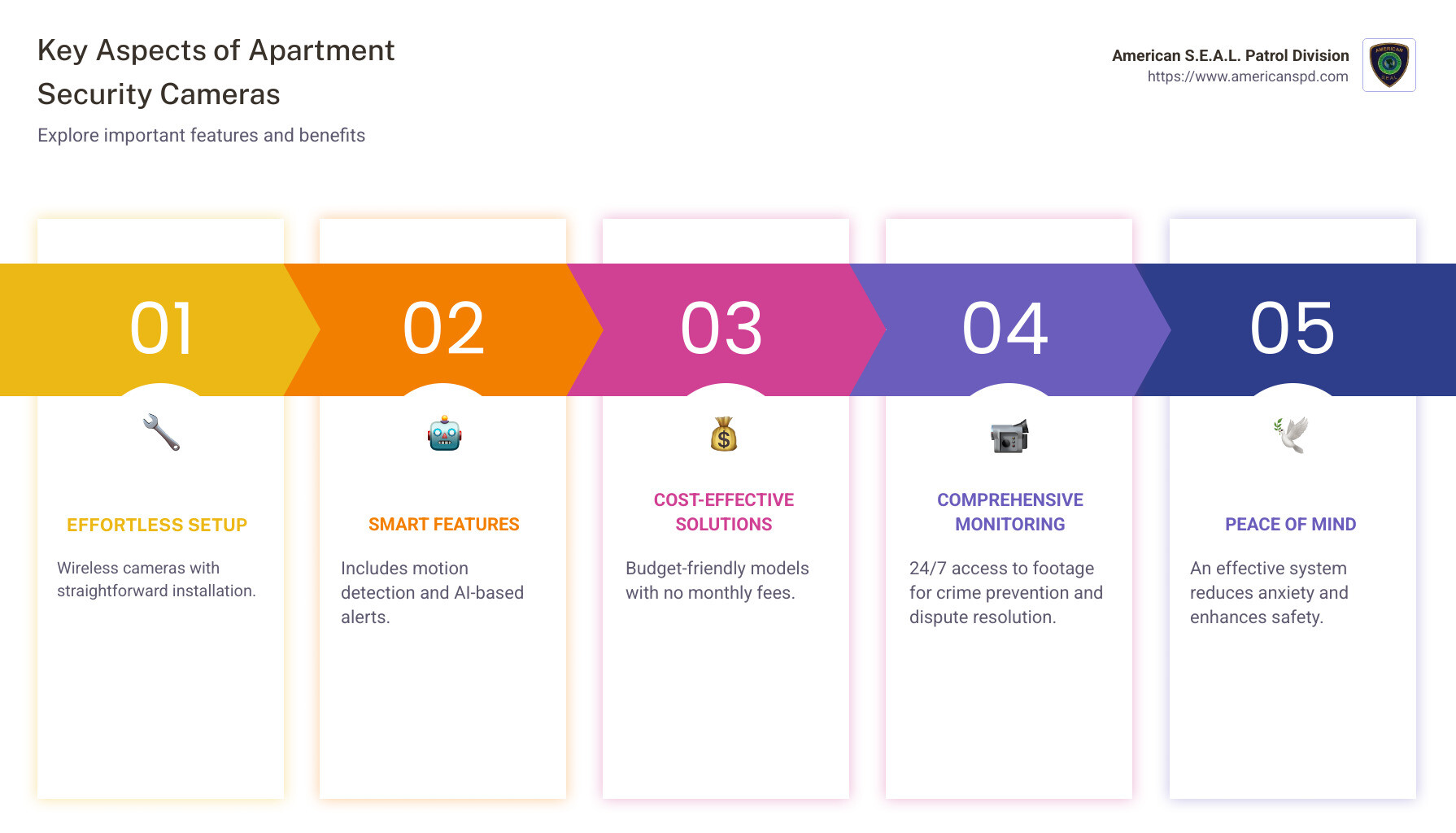
Effortless Setup: Wireless cameras with straightforward installation are perfect for those who want to avoid the fuss.
Smart Features: Look for features like motion detection, video analytics, and AI-based alerts.
Cost-Effective Solutions: Budget-friendly models often offer no monthly fees yet still provide reliable security.
Comprehensive Monitoring: 24/7 access to footage helps not just in preventing crimes but also resolving disputes or tracking maintenance concerns.
Start with these points to steer apartment security cameras with confidence.
Apartment home security cameras definitions:
– hidden cameras
– surveillance camera for apartment
– wireless security cameras for apartment buildings
When choosing apartment home security cameras, it’s crucial to focus on several key features that ensure safety and functionality.
Resolution: High-resolution cameras, at least 1080p, offer clear images, making it easier to identify faces and details. Some cameras even provide 4K resolution for an ultra-clear view.
Field of View: A wide field of view, ideally 120 degrees or more, allows cameras to cover more area. This is especially useful for monitoring large spaces like parking lots or shared hallways.
Night Vision: Many crimes occur at night, so having cameras with infrared or color night vision is vital. This feature ensures your cameras work effectively 24/7, capturing clear footage even in low-light conditions.
Installing security cameras in an apartment setting comes with its own set of challenges and considerations.
DIY vs. Professional Installation: DIY installation is popular among renters because it avoids the need for drilling or permanent changes. Most wireless cameras are designed for easy setup, making them ideal for those who prefer a hands-on approach. However, professional installation ensures cameras are optimally placed and fully operational, which can be worth the additional cost.
Landlord Considerations: Before installing any cameras, check with your landlord. Some buildings have specific rules about alterations, especially concerning exterior installations. Always get permission to avoid any potential conflicts.

Understanding how your security footage is monitored and stored is essential for maintaining an effective security system.
Monitoring: You have two main options: self-monitoring or professional monitoring. Self-monitoring is cost-effective but requires you to be attentive to alerts. Professional monitoring services offer peace of mind with 24/7 surveillance, albeit at a monthly fee.
Storage: Choose between cloud storage and local storage based on your needs and budget.
Cloud Storage: Offers remote access to footage and keeps data safe from theft or damage. Be mindful of potential monthly fees.
Local Storage: Includes options like microSD cards or DVR/NVR systems. While it avoids recurring fees, it requires secure physical storage and may have limited capacity.
By focusing on these features and installation tips, you can select the best security cameras for your apartment, ensuring safety and peace of mind without unnecessary hassle.
When it comes to choosing the perfect apartment home security cameras, there are options to suit every need and budget. Let’s explore some of the best choices available, focusing on easy installation, advanced features, and budget-friendly options.
DIY Setup and Wireless Cameras
For renters, installing security cameras without drilling holes or running wires is a huge plus. Cameras designed for easy setup allow you to place them on shelves or bookcases without the need for tools, offering both battery-powered and plug-in options, giving you flexibility based on your needs.
Facial Recognition and Smart Integrations
For those seeking cutting-edge technology, cameras with advanced features such as facial recognition and smart integrations are a great choice. These cameras can distinguish between familiar faces and strangers, providing more accurate alerts and integrating well with smart home systems, enhancing their utility.
Affordable Cameras with No Monthly Fees
If you’re looking to secure your apartment without breaking the bank, there are excellent options that offer great value. Cameras with options that include local storage via microSD cards help you avoid ongoing costs. They offer a variety of models with decent resolution and field of view, ensuring your apartment is well-monitored without a hefty price tag.
Apartment security cameras offer several benefits that go beyond just keeping an eye on your property. They play a crucial role in enhancing safety, collecting evidence, and integrating with modern technology to provide peace of mind.
Deterrence
One of the primary benefits of installing apartment home security cameras is their ability to deter crime. According to the FBI’s Uniform Crime Reporting program, residential burglaries made up 62.8% of all burglary offenses in 2019. Visible cameras can discourage potential intruders from targeting your property, as they know they’re being watched.
Evidence Collection
In the unfortunate event of a crime, security cameras provide invaluable evidence. They capture footage that can help identify perpetrators and recover stolen items. This makes it more likely for criminals to be caught and brought to justice.
Video Analytics
Modern cameras come equipped with powerful video analytics. These smart features can detect unusual activities, such as loitering or trespassing, and alert you in real-time. This technology improves the effectiveness of your security system by allowing for quicker responses to potential threats.
Smart Home Compatibility
Integration with smart home systems like Alexa, Google Assistant, or Apple HomeKit adds another layer of convenience. You can control your cameras with voice commands or automate actions, like turning on lights when motion is detected, to further deter intruders.
Tenant Safety
For tenants, feeling safe at home is paramount. A survey by Deep Sentinel revealed that 71% of renters believe property managers should improve security measures. Cameras in common areas, like lobbies or parking garages, can help tenants feel more secure and reduce the likelihood of crime.
Privacy and Legal Considerations
Privacy is a major concern when installing cameras. It’s important to place cameras in private areas like your living room or balcony, avoiding shared spaces or pointing them toward neighbors’ apartments. Always check your lease agreement and local laws to ensure compliance with privacy regulations.
Legal Considerations
Before installing cameras, understand the legal implications. Some states have specific laws about where cameras can be placed and how footage can be used. It’s wise to consult legal resources or your property manager to ensure that your security setup is lawful.
By leveraging technology and addressing these common concerns, apartment security cameras can significantly improve the safety and security of your home. They not only deter crime but also provide peace of mind, knowing that your property is well-protected.
Yes, you can install security cameras in your apartment. However, it’s important to consider a few factors before doing so. First, review your lease agreement to ensure that there are no restrictions on installing such devices. Some landlords may have specific rules regarding modifications to the property.
Next, focus on placement. Install cameras in private areas like your living room or entryway. Avoid placing them in shared spaces or pointing them toward neighbors’ apartments to respect privacy and comply with legal regulations.
Lastly, consider using wire-free models. These are easier to install without making permanent changes to the apartment.
Renters often look for cameras that are easy to install and remove, especially if they plan to move. Here are some features that make a camera renter-friendly:
Wireless and Wire-Free Options: Cameras that don’t require drilling or extensive wiring are ideal for renters. They can be easily set up and taken down when you move.
Smart Integrations: Cameras that work with smart home systems like Alexa or Google Assistant can offer added convenience and functionality.
Affordable Pricing: Renters often prefer budget-friendly options with no long-term contracts or monthly fees.
Cloud Storage: Cameras with cloud storage options ensure that footage is safely stored offsite, reducing the need for additional equipment.
Choosing the right security camera involves considering several factors:
Resolution and Field of View: Look for cameras with at least 1080p resolution for clear footage. A wide field of view ensures more coverage with fewer cameras.
Night Vision and Low-Light Performance: If your apartment has areas with low lighting, opt for cameras with infrared illuminators or excellent low-light performance.
Two-Way Audio: This feature allows you to communicate through the camera, adding an extra layer of security.
Storage Options: Decide whether you prefer local storage (SD cards) or cloud storage. Cloud storage offers more security, while local storage is often cheaper.
Ease of Installation: If you’re not handy, choose a camera that’s easy to install, like a wire-free model.
By considering these aspects, you can find a security camera that meets your needs and improves your apartment’s security.
At American S.E.A.L. Patrol Division, we understand the importance of feeling safe and secure in your apartment. Our apartment home security cameras are designed to give you peace of mind, knowing that your home is under constant surveillance. With over 15 years of experience in providing security solutions, we combine cutting-edge technology with expert personnel to ensure that you receive the highest level of protection.
Why Choose American S.E.A.L. Patrol Division?
Custom Security Solutions: We offer customizable security systems that cater to the unique needs of each apartment complex. Whether you need a basic setup or a comprehensive surveillance network, we’ve got you covered.
24/7 Monitoring and Rapid Response: Our team is dedicated to providing round-the-clock monitoring and swift response to any security threats. This ensures that potential risks are addressed immediately, enhancing the safety of your living environment.
Advanced Technology: Our security cameras come equipped with features like high-resolution imaging, night vision, and smart home compatibility. These technologies work together to provide a robust security solution that deters crime and protects your property.
Expert Guidance and Support: We are here to help you every step of the way, from choosing the right camera system to ensuring seamless installation. Our knowledgeable staff is always available to answer your questions and provide support.
By choosing American S.E.A.L. Patrol Division, you’re not just investing in apartment home security cameras; you’re investing in peace of mind. Our commitment to excellence and customer satisfaction sets us apart as a leader in the security industry.
For more information on how we can help secure your apartment, visit our Apartment Security Camera Systems page. Let us be your trusted partner in safeguarding what matters most to you.
When you think of a cctv camera with ip address, you might imagine a high-tech surveillance system reserved for commercial enterprises. However, these cameras are now within reach for individuals seeking to improve the security of their homes or small businesses.
Here’s what you need to remember:
In our connected world, understanding and setting up an IP camera system can significantly improve the safety of your property. This article will walk you through the essentials of navigating these powerful tools.

Every cctv camera with an IP address has a unique digital signature. This signature, known as an IP address, is crucial for identifying and communicating with the camera over a network. Think of it as the camera’s home address in the digital world. Without it, your camera would be lost in the vast sea of networked devices.
Each IP camera requires a unique IP address to function correctly. This address ensures that you can access your camera’s feed and control its settings remotely. If two devices on the same network share an IP address, it leads to an IP address conflict, causing connection issues. To avoid this, always ensure each camera has its own distinct address.
Setting up a cctv camera with an IP address involves a few simple network configuration steps. First, connect the camera to your Local Area Network (LAN) using an Ethernet cable or Wi-Fi. This connection allows your camera to communicate with other devices on the network. Once connected, you can access the camera’s settings through a web browser by entering its IP address.
For a seamless experience, you might want to assign a static IP address to your camera. This prevents changes over time, ensuring that you always know where to find your camera on the network.
The ONVIF (Open Network Video Interface Forum) standard is a game-changer for IP cameras. It ensures maximum compatibility and interoperability between different brands and models. Cameras conforming to the ONVIF standard can easily integrate with various software and hardware, making them a versatile choice for any surveillance setup.

Choosing an ONVIF-conformant camera not only improves compatibility but also typically offers better features and quality compared to non-conformant models. This means you can mix and match cameras and systems without worrying about compatibility issues.
Understanding these basics of IP addresses, network configuration, and the ONVIF standard is key to setting up a robust and reliable CCTV network. Next, we’ll dive into how to find your camera’s IP address, a crucial step in getting your system up and running.
Finding your CCTV camera’s IP address is a crucial step in setting up your surveillance system. Let’s explore some practical methods to locate it.
Many camera manufacturers offer utility programs designed to help you find your camera’s IP address easily. For example, AXIS IP Utility is a popular choice among users. These programs scan your network and list all connected devices, including your camera. Simply download the utility from the manufacturer’s website, run it on your computer, and you’ll see your camera’s IP address in no time.
When your camera is first connected to the network, it often uses Dynamic Host Configuration Protocol (DHCP) to obtain an IP address automatically. This means your router assigns an available IP address to your camera. The downside? This address can change over time, especially after a power cycle.
To find the current IP address, you can check your router’s DHCP client list. Access your router’s configuration page by typing its IP address into a web browser. Look for a section called “Attached Devices” or “DHCP Clients,” where you’ll see a list of all devices connected to your network, including your camera.
Your router is another powerful tool for finding your camera’s IP address. By accessing the router’s settings, you can see a list of all devices currently connected to the network.
Here’s a simple way to do it:
1. Log into your router’s web interface. The login details are usually found on the router itself or in its manual.
2. Steer to the section displaying connected devices. This might be labeled as “Device List” or “Connected Devices.”
3. Identify your camera by its MAC address, which is often printed on the camera or in its manual. Match this to the list to find the corresponding IP address.
Once you’ve located your camera’s IP address, consider setting it to a static IP. This prevents the address from changing, making it easier to access your camera consistently.
Finding your CCTV camera’s IP address might seem daunting at first, but with these straightforward methods, you’ll have it sorted in no time. Next, we’ll explore how to set up your camera with its IP address for optimal performance.
Once you’ve found your CCTV camera’s IP address, it’s time to set it up for optimal performance. This involves connecting to your Local Area Network (LAN), configuring Wi-Fi, and setting a static IP address.
To start, connect your camera to the LAN using an Ethernet cable. This step is essential for a stable, initial setup. Plug one end of the cable into the camera and the other into your router.
Why use a LAN connection?
– It provides a stable and reliable connection.
– It ensures the camera is easily accessible during the setup process.
If your camera supports Wi-Fi, you can switch to a wireless connection once the LAN setup is complete. This offers more flexibility in camera placement.
Here’s how to configure Wi-Fi:
Access the camera’s settings: Open a web browser and enter the camera’s IP address. Log in using the default credentials found in your camera’s manual.
Steer to Wi-Fi settings: Look for a section labeled “Wireless” or “Wi-Fi Settings.”
Select your network: Choose your home Wi-Fi network from the list of available networks.
Enter the password: Type in your Wi-Fi password to connect.
Save the settings: Ensure you save any changes before disconnecting the Ethernet cable.
Setting a static IP address is crucial to avoid losing track of your camera. A static IP ensures that the camera’s address remains constant, even after a reboot or network changes.
To set a static IP:
Log into your router: Use a web browser to access the router’s settings. The login details are typically on the router or in its manual.
Reserve an IP address: Find the section for DHCP reservations or static leases. Enter your camera’s MAC address and the desired IP address.
Update camera settings: Go back to the camera’s settings page. In the network section, switch from DHCP to static IP and enter the reserved address.
By setting up your CCTV camera with a stable LAN connection, configuring Wi-Fi, and assigning a static IP address, you’ll ensure smooth and uninterrupted access to your surveillance system. Next, we’ll look into how you can access your CCTV camera remotely.
Now that your CCTV camera with an IP address is all set up, let’s talk about how you can access it from anywhere in the world. This is where WAN access, port forwarding, and Dynamic DNS come into play.
WAN (Wide Area Network) access allows you to view your camera’s feed from outside your local network. Think of it like having a key to your home’s security system, no matter where you are.
Why is WAN access important?
Port forwarding is like opening a special door in your network that lets you access your camera from the outside. It tells your router to send requests to your camera’s IP address.
Here’s how to set up port forwarding:
Log into your router: Open a web browser, enter the router’s IP address, and log in. The login details are usually on the router or in its manual.
Steer to port forwarding settings: Look for sections labeled “Port Forwarding,” “Virtual Server,” or “Applications.”
Create a new rule: Enter your camera’s IP address and the port number (like 80 or 3333). Choose “ALL” for the protocol to cover both TCP and UDP.
Save the settings: Once saved, your camera can be accessed using your public IP address and the port number.
Dynamic DNS (DDNS) helps when your public IP address changes. It links your changing IP address to a fixed domain name, making it easier to access your camera remotely.
Setting up Dynamic DNS:
Choose a DDNS provider: Many routers support services like No-IP or DynDNS. Check your router’s manual for supported options.
Create an account: Sign up with your chosen provider and create a hostname (like mycamera.ddns.net).
Configure your router: Enter the DDNS account details in your router’s DDNS settings.
Update your camera’s settings: Use the new hostname instead of your IP address when accessing your camera.
By setting up WAN access, port forwarding, and Dynamic DNS, you’ll have seamless remote access to your CCTV camera. This ensures you can monitor your property at any time, adding an extra layer of security and convenience.
Next, we’ll address some common questions about using a CCTV camera with an IP address.
Yes, CCTV cameras with an IP address function as network devices, similar to computers or smartphones. This means each camera has its own unique IP address, allowing it to communicate over a network. This is essential for viewing and managing the camera’s feed remotely. The IP address acts as the camera’s “home address” on your network.
Connecting a CCTV camera with an IP address involves a few key steps. First, ensure your camera is connected to the network via Ethernet or Wi-Fi. For a more reliable connection, consider using a PoE (Power over Ethernet) switch. This allows a single cable to provide both power and data, reducing the need for additional cabling.
Here’s a quick guide to get you started:
While CCTV cameras with an IP address offer many benefits, there are some disadvantages to consider:
Cabling Cost: If using wired connections, the cost of Ethernet cables can add up, especially for large installations. However, PoE switches can help reduce some of this cost by combining power and data into a single cable.
Bandwidth Considerations: IP cameras can consume a significant amount of bandwidth, especially those with high-resolution feeds. This might require upgrading your network infrastructure to handle the increased data load. It’s important to ensure your network can support the camera’s bandwidth needs without affecting other devices.
Data Plan Considerations: For remote access, especially over mobile networks, be mindful of data usage. Streaming high-quality video can quickly use up data plans, leading to additional costs.
By understanding these aspects, you can make informed decisions about setting up and managing your CCTV camera system effectively.
Next, we’ll dive into how American S.E.A.L. Patrol Division can provide cutting-edge solutions to improve your security setup.
At American S.E.A.L. Patrol Division, we believe that security is not just about having cameras and alarms. It’s about using cutting-edge technology combined with expert personnel to provide comprehensive protection for your property. Our team in Houston, TX, is dedicated to ensuring that your residential or commercial space is secure, 24/7.
Our security services are designed to give you peace of mind. We use advanced CCTV cameras with IP addresses to monitor your property effectively. These cameras allow for real-time viewing and management, ensuring that you are always in control. With our expertise, we handle the setup and configuration, so you don’t have to worry about the technical details.
We understand the importance of a reliable security system. That’s why we use the latest technology to provide rapid response and continuous monitoring. Our approach ensures that any potential threats are quickly identified and addressed, keeping your property safe.
Whether you need security for your home, business, or special events, American S.E.A.L. Patrol Division is here to help. We tailor our services to meet your specific needs, providing a customized security solution that works for you.
Find how our security services can improve your protection by visiting American S.E.A.L. Patrol Division. Let us help you secure your world with the best in technology and expertise.
For property managers like Sarah Thompson, maintaining safety is a top priority. CCTV good quality is crucial for enhancing security and providing peace of mind. To quickly grasp the essentials, here’s what defines good quality in CCTV:
CCTV systems act like an extra pair of eyes, offering key benefits like constant monitoring and crime deterrence. They provide continuous oversight to swiftly address unusual activities. This tech-driven approach ensures that safety and security demands are met efficiently, offering a reassuring layer of protection to properties.

When selecting a CCTV good quality system, there are several key features to consider. These elements ensure that the camera not only captures clear footage but also provides reliable security around the clock.
High definition is a must for any good quality CCTV camera. This means capturing images at 1080p, 2K, or even 4K resolution. Higher resolution allows for sharper, clearer images, making it easier to identify faces, license plates, and other important details.

Night vision capabilities are crucial for surveillance after dark. Many cameras use infrared technology to capture images in low light. Some models even offer color night vision, which adds an extra layer of detail. Starlight technology is another advanced feature, allowing cameras to record in full color even in very low light conditions.
Modern CCTV cameras come equipped with smart motion detection features. These can distinguish between different types of movement, such as people or vehicles, reducing false alerts. Activity zones allow users to specify areas to monitor closely, ensuring that the camera focuses on critical regions. This smart detection system sends alerts to your device, keeping you informed of any unusual activity.
Storing footage securely is essential. Good quality CCTV systems offer both cloud storage and local storage options. Some cameras use a microSD card for local storage, which can be a convenient choice for quick access to recent recordings. Cloud storage provides an additional layer of security, ensuring that footage is safe even if the camera is damaged or stolen.
Two-way communication is a valuable feature in many CCTV cameras. With a built-in microphone, these cameras allow you to hear what’s happening and communicate with visitors or deter intruders. This feature is particularly useful for managing deliveries or addressing unexpected visitors when you’re not home.

These features combine to create a robust CCTV system that improves security and provides peace of mind. By choosing a camera with these capabilities, you can ensure comprehensive coverage and protection for your property.
When thinking about CCTV good quality, focus on factors like durability, weather resistance, and smart-home integration. These elements ensure that your camera works well in any condition and fits seamlessly into your smart-home setup.
A top-notch CCTV camera must withstand various weather conditions. Look for cameras with an IP66 rating. This rating means the camera is dust-tight and protected against heavy rain or snow, making it perfect for outdoor use. With such durability, you can have year-round security without worrying about weather damage. This ensures that your camera keeps recording, whether it’s sunny, rainy, or snowy, providing consistent protection for your property.
In today’s tech-savvy world, integrating your CCTV camera with your smart-home devices is a big plus. Many modern cameras are compatible with Amazon Alexa, Google Home, and IFTTT. This integration allows you to control your camera using voice commands or automate actions based on certain triggers. For example, you can set your camera to start recording when your smart lights turn on at night. This level of connectivity not only makes managing your security system more convenient but also improves the overall functionality of your smart home.
By considering these factors, you can ensure that your CCTV system is not only high-quality but also fits seamlessly into your lifestyle and provides reliable security all year long.
When setting up a CCTV good quality system, understanding installation and maintenance is key. This involves considering battery life, choosing between wired and wireless options, and evaluating ease of installation.
Battery life is crucial for wireless CCTV cameras. A long-lasting battery ensures continuous monitoring without frequent recharges. Look for cameras with rechargeable batteries. Some models offer a solar panel option, which can extend battery life by using solar energy. This is ideal for outdoor cameras in sunny locations, providing a sustainable power source.
Choosing between wired and wireless cameras depends on your needs. Wired cameras are reliable and offer consistent power, making them ideal for permanent installations. They often provide better video quality and don’t require battery changes. However, they need professional installation, which can be more costly and less flexible.
Wireless cameras offer more flexibility in placement. They are easier to set up and can be moved as needed. This is great for renters or those who prefer a DIY setup. However, they rely on batteries, which need regular maintenance and may face connectivity issues if your Wi-Fi signal is weak.
Ease of installation can vary greatly between CCTV systems. Some cameras come with straightforward instructions for a DIY setup, allowing you to install them without professional help. This can save money and time. However, if you’re not confident in your tech skills, professional installation ensures everything is set up correctly and securely.
For ongoing maintenance, having access to troubleshooting support is beneficial. This can help resolve any issues quickly and ensure your CCTV system remains operational.
By considering these aspects, you can ensure your CCTV system is easy to install and maintain, providing reliable and consistent security for your property.
Resolution and Clarity: A good quality CCTV camera should have high resolution. Most cameras offer at least 1080p, but higher resolutions like 2K or 4K provide clearer images. This is important for identifying details like faces or license plates. Clarity is crucial, especially for security purposes.
Features: Look for cameras with features like night vision and motion detection. Night vision can be infrared or color, with technologies like Starlight providing improved visibility in low light. Motion detection features should include smart detection and customizable activity zones to avoid false alarms.
Weatherproof and Durability: Outdoor CCTV cameras must be durable and weather-resistant. Look for an IP66 rating or higher, which means the camera can withstand harsh weather conditions. This ensures year-round security.
Night Vision: For outdoor use, night vision is essential. Cameras with infrared or color night vision capture clear footage even in the dark. This is vital for monitoring outdoor areas like driveways or backyards.
Cloud Storage vs. Local Storage: Both have their advantages. Cloud storage allows remote access to footage and is secure from physical damage or theft. However, it may require a subscription.
Local Storage: This includes options like microSD cards or hard drives. It’s a one-time cost and doesn’t rely on internet connectivity. However, if the camera is stolen or damaged, you may lose the footage.
Security: Ensure that your storage method is secure. Cloud storage should have strong encryption, while local storage devices should be kept in a safe location. This ensures that your footage is protected from unauthorized access.
At American S.E.A.L. Patrol Division, we understand the importance of security and the role that CCTV good quality plays in providing peace of mind. Our security services in Texas, especially in Houston, are designed to keep your property safe with cutting-edge technology and expert personnel.
Why Choose Us?
Expertise and Experience: With over 15 years of experience, we offer reliable security solutions custom to your needs. Our team combines advanced CCTV technology with professional security personnel to ensure 24/7 monitoring and rapid response.
Comprehensive Security Services: We provide a range of services from CCTV monitoring to armed and unarmed guard services. Our solutions are customized for both residential and commercial properties, ensuring that you receive the protection you require.
Peace of Mind: Our commitment to excellence means you can trust us to safeguard your assets and community. With our services, you can focus on what matters most, knowing that your security is in capable hands.
Investing in CCTV good quality is crucial for effective security. Whether you’re looking for high-resolution cameras, night vision capabilities, or smart-home integration, we have the expertise to guide you through the best options for your needs.
Feel secure with American S.E.A.L. Patrol Division, where your safety is our top priority. Visit our website to learn more about our services and how we can help protect what matters most to you.
Apartment building video surveillance is an essential component of modern property management. It helps deter crime, ensures tenant safety, and maintains property value. However, managing video surveillance effectively involves navigating a maze of legal guidelines and respecting tenant rights. Here’s a quick overview to guide you:
Organizing good security isn’t just about putting up cameras. It’s also about understanding the balance between protecting property and protecting the rights of your tenants. As Sarah Thompson, a dedicated property manager, you know the importance of these legal details in ensuring peace of mind for everyone involved.

Apartment building video surveillance word roundup:
Apartment building video surveillance involves more than just setting up cameras; it’s about understanding the legalities of their placement.
When installing security cameras in apartment buildings, it’s crucial to adhere to legal guidelines: cameras should be placed only in common-use areas. These are spaces where tenants do not have a reasonable expectation of privacy, such as hallways, mailrooms, and parking lots.

Privacy laws strictly prohibit the installation of cameras in private spaces like bathrooms and bedrooms, as these areas are considered private, and tenants have the right to feel secure and unobserved there.
Additionally, cameras should not be directed into the windows of private units. This ensures the privacy of both your tenants and neighbors.
Informing tenants about surveillance is not just a good practice—it’s often a legal requirement. Surveillance disclosure involves notifying tenants about the presence of cameras and specifying the areas they cover. This transparency helps build trust and ensures compliance with privacy regulations.
Some states may have specific requirements regarding tenant consent, especially if audio recording devices are involved. While video surveillance generally does not require consent, audio recording can be more complex. In some states, tenants must be informed about the presence of audio recording devices, while others require written consent.

By keeping tenants informed, you not only comply with legal requirements but also foster a sense of security and trust within your community. This proactive approach can improve tenant satisfaction and reduce potential legal issues.
Understanding these legal aspects ensures that your apartment building video surveillance system is both effective and compliant.
Apartment building video surveillance systems have evolved significantly with the integration of AI technology. These advanced systems offer real-time analytics and threat detection, making them a powerful tool for enhancing security.
AI-enabled systems can analyze live video footage to identify potential threats automatically. This means they can detect suspicious activities, like unauthorized access or loitering, and alert security personnel immediately. This real-time response reduces the risk of human error and improves the chances of preventing incidents before they escalate.
Furthermore, AI systems can differentiate between normal and suspicious behavior, which helps in reducing false alarms. This efficiency ensures that security teams can focus on genuine threats, providing a safer environment for residents.
The primary goal of apartment building video surveillance is to deter crime and ensure safety. Visible cameras in common areas act as a deterrent to potential criminals, reducing the likelihood of theft, vandalism, and other unlawful activities.
In addition to deterring crime, these systems are invaluable for evidence collection. In the event of an incident, recorded footage can be used to identify perpetrators and provide crucial evidence during investigations and legal proceedings. This not only aids law enforcement but also assures residents that their safety is a priority.
The presence of a comprehensive surveillance system provides tenants with peace of mind. Knowing that their living environment is monitored and secure helps foster a sense of community and trust. This feeling of safety is a significant factor in tenant satisfaction and retention.
Moreover, modern surveillance systems can integrate with other security measures, such as access control systems, to create a robust security network. This integration allows for seamless monitoring and management of the property, ensuring that all security measures work cohesively to protect residents.
Incorporating apartment building video surveillance systems that leverage AI technology not only improves security but also offers residents the assurance that their safety is a top priority.
When it comes to apartment building video surveillance, understanding privacy laws is crucial. Each state has specific regulations that dictate where and how cameras can be installed. Generally, cameras should be placed in common-use areas like hallways, parking lots, and lobbies. These are areas where tenants have a lower expectation of privacy.
However, privacy laws prohibit placing cameras in private areas such as bathrooms or bedrooms. These laws ensure that residents’ rights are respected and that surveillance does not infringe on their reasonable expectation of privacy.
Additionally, landlords must comply with laws regarding audio recording. In some states, if tenants are informed about the recording, their continued presence near the device implies consent. In others, written consent is required. It’s essential to be aware of these laws to avoid legal issues.
In October 2023, a new mandate was introduced for high-occupancy and senior residences in certain regions. This law requires property owners to install video surveillance in specific areas like parking lots and sidewalks. The footage must be kept for at least 30 days, and if requested by law enforcement or a tenant, it must be stored for 180 days.
Cameras must meet certain standards, such as having a resolution of at least 1080p. Failure to comply with these requirements can result in a civil penalty of up to $500. Tenants can file complaints about inadequate equipment with the relevant local authorities.
These updates highlight the importance of staying informed about local laws and ensuring that your surveillance systems are up to code. Compliance not only avoids legal trouble but also reassures tenants that their security is taken seriously.
The retention of video footage from apartment building video surveillance varies by location and property policy. Generally, footage is stored for a period that balances security needs with privacy rights. For example, in some areas, local laws may mandate that footage be kept for a minimum period, such as 30 days. If law enforcement or a tenant requests, it should be stored for an extended period, like 180 days. This ensures that evidence is available when needed while respecting privacy concerns.
Tenants often wonder if they can install their own cameras in their apartments. The answer is yes, but with some conditions. Tenants can set up cameras inside their units as long as they don’t damage the property and comply with the lease agreement. It’s a good idea to inform the landlord about any installations to avoid disputes, especially if the installation involves changes to the property. Tenants must also respect privacy laws and not point cameras into other units or common areas without consent.
Audio recording laws can be tricky. In some states, if tenants are informed about audio recording devices and still have private conversations near them, it’s considered consent. In others, landlords must obtain written consent from tenants before recording audio. These laws vary, so it’s important to be informed of the specific regulations in your state. Understanding and respecting these laws is crucial to avoid legal issues and maintain trust with tenants.
At American S.E.A.L. Patrol Division, we understand that apartment building video surveillance is more than just a security measure; it’s a promise of safety and peace of mind. With over 15 years of experience in the security industry, we combine cutting-edge technology with expert personnel to deliver unparalleled protection for residential and commercial properties.
Our security solutions are custom to meet the unique needs of each client. Whether it’s installing advanced CCTV systems or providing 24/7 monitoring, we are committed to ensuring the safety of your property and its residents. Our team of highly trained professionals is equipped to handle any security challenge, providing rapid response and continuous oversight.
By choosing American S.E.A.L. Patrol Division, you are not just investing in a security system; you are partnering with a team dedicated to safeguarding what matters most to you. We stay informed about the latest legal guidelines and technological advancements to offer solutions that are both effective and compliant with state regulations.
For more information on how we can improve the security of your apartment building, visit our Apartment Security Camera Systems page. Trust us to protect your property with the expertise and dedication that sets us apart in the industry.